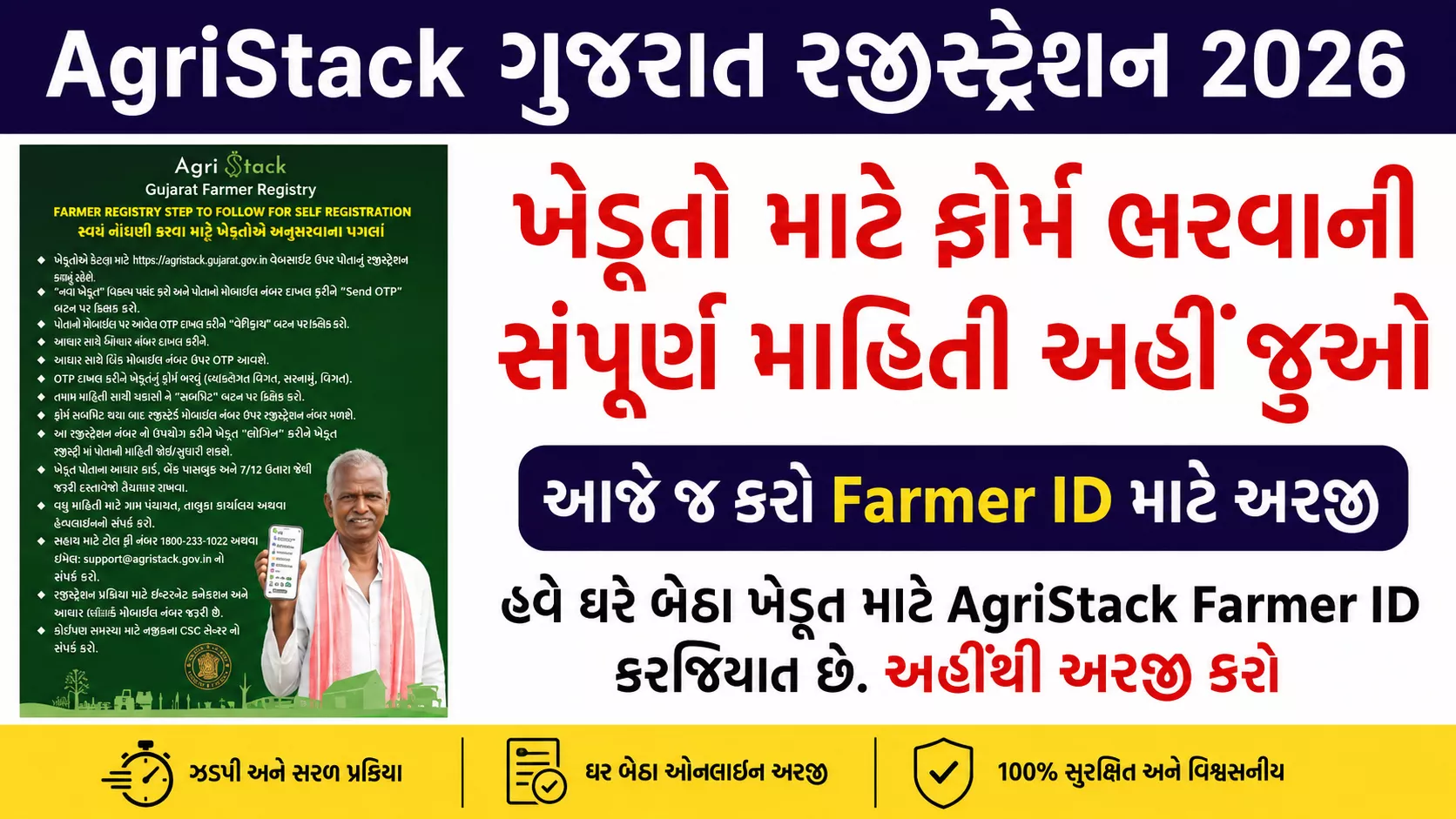
AgriStack Gujarat Registration 2026:The Gujarat government, with the support of the central government,AgriStack Gujarat Registration 2026has started, which is aDigital databaseThere is a campaign to create. Through this registration, farmers will get various benefits from the government.Benefits of schemes can be easily availedAndLand related information can be linked to online entry.
The farmer who registers on the portal with his name and land data will beUnique Farmer IDwill be allocated, making services like direct assistance, subsidies, and loans available quickly.
AgriStack Gujarat Registration 2026 Overview
| Scheme name | AgriStack Gujarat Registration 2026 |
| Purpose | To simplify the digital records and assistance system of farmers |
| Farmer ID | Every registered farmer will get an 11-digit unique farmer ID. |
| Required documents | Aadhar card, land documents, bank details |
| Application Portal | gjfr.agristack.gov.in |
| For help | e-Gram Centers, Taluka Service Centers, Gram Sevak |
Why is AgriStack Gujarat Registration necessary?
- Important scheme and assistance information for farmers is readily available.
- PM-Kisan, assistance like seeds, fertilizer subsidy directly to the account.
- Prime Minister Crop Insurance SchemeFaster processing of benefits such as.
- It is directly linked to the land records.
- An 11-digit unique Farmer ID is given in the name of the farmer.
Documents required for AgriStack Gujarat Registration
- Aadhar card
- Land Apocalypse (7/12)
- Bank passbook
- Mobile number linked to Aadhaar
- Passport size photo
How to do AgriStack Gujarat Registration? (Through Mobile App)
- Step 1: Play StoreBy going toAgriStack Gujarat AppDownload.
- Step 2: AppBy openingeKYC (OTP to Aadhaar Verification)Do it.
- Step 3:Create user credentials.
- Step 4:YourLand RecordFind and claim.
- Step 5:For your dataGive consent.
- Step 6:After registrationFill out the form and upload the documents.
- Step 7:After your form is approved by the government authoritiesYou will get Farmer ID.
How to apply for AgriStack Gujarat Registration 2026?
- Official WebsiteTo open https://gjfr.agristack.gov.inGo to.
- If you are a new user, then register with Aadhaar and mobile number.IDCreate it, if you are already registered then login with your ID and password.
- From the homepage Farmer RegistryOr AgriStack Gujarat registrationSelect a section.
- By entering Aadhaar numberOTPWitheKYCVerify.
- Add details by filling in your name, address, taluka, village name, survey number, and land documents.
- Verify all information thoroughly andConsentSubmit the form.
- After your application is approved, yourFarmer IDwill be generated which you can view on the portal.
Important Note:
- It is necessary to have the mobile number updated in your Aadhaar.
- Keep a copy of the 7/12 extract ready for land documents.
- You can take help from your village’s e-Gram or taluka agriculture office.
Important Links
| Official website | Click here |
| Apply here | Click here |
| Application Link | Click here |
| Home page | Click here |
Conclusion
AgriStack Gujarat Registration 2026There is a crucial step that has been made for the farmer’s digital data platform. If you do not register, you will not get the benefits of many government schemes. Therefore, it is requested to all farmer friends that they complete this registration on or before today.
FAQs – Frequently Asked Questions
Q1. Where to do AgriStack Gujarat registration 2026?
https://gjfr.agristack.gov.inApply online at or through the App.
Q2. What will you get after registration?
After your data is verified, you will receive an 11-digit Farmer ID.
Q3. What to do if there is no mobile number in Aadhaar?
Go to your nearest CSC center or UIDAI Aadhaar center and get your mobile updated.