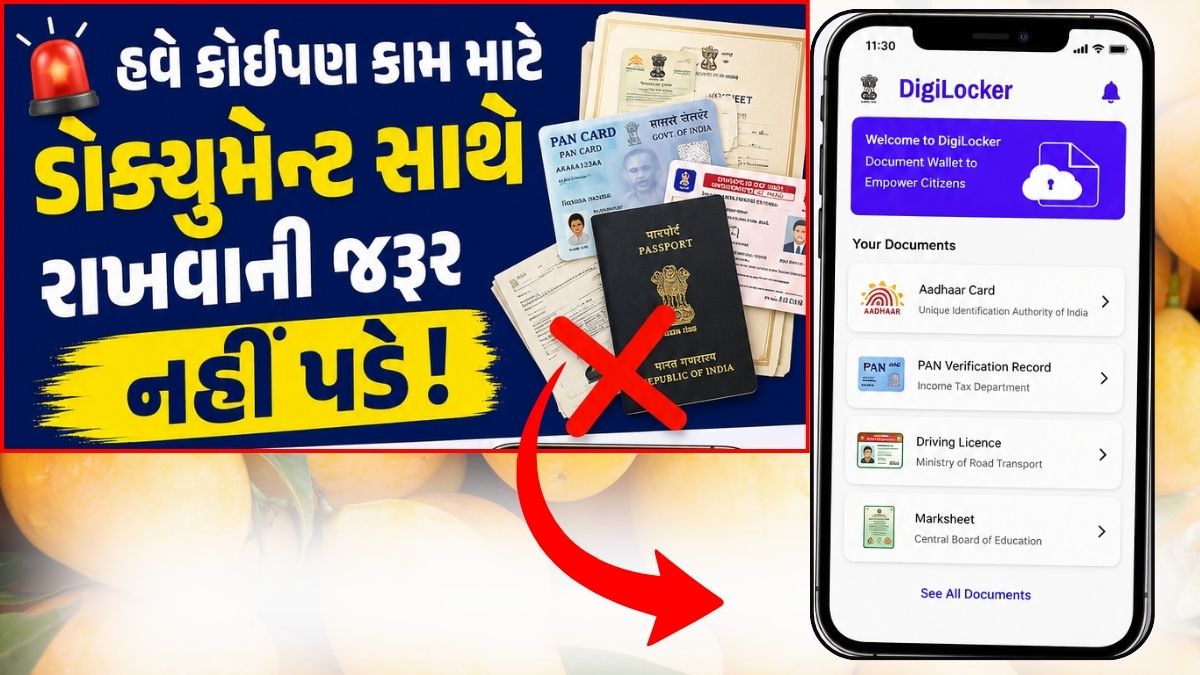
The Modi government launched the Digital India revolution in India during its tenure from 2014 to 2026. This revolution digitized many government schemes and payments. Along with financial transactions, several online companies emerged that offered services like booking and recharge from the comfort of your home. One such company isDigilocker,Today we will talk about this.What is DigiLocker and how to use it?
This app was launched to securely store documents online. It’s been nearly five years since its launch, but it’s still unknown to many people.
That’s why today we’ll provide you with detailed information about this app. In this article, you’ll find complete information about what DigiLocker is, when, where, and how to use it.
What is Digilocker – What is Digilocker in Hindi?
Digital Locker or DigiLocker is a virtual locker launched by Prime Minister Narendra Modi on July 1, 2015. It is an important part of the ambitious program of the Government of India.
Through this, users can store important documents online, such as birth certificates, passports, educational certificates, etc. To avail this facility, users must have an Aadhaar card, which is authorized by the Government of India.
Simply put, just like you keep your jewellery safe in a bank locker, a digital locker is also a way to keep your documents safe.
The only difference is that you save your documents online. This means you can also call it an online vault for keeping your important documents safe.
You all know how important documents are in today’s times. Losing a document, even accidentally, can lead to many difficulties. Therefore, it’s crucial to keep them safe.
We have many documents like Pan Card, Voter ID Card, Passport, Driving License, Birth Certificate, Income Tax Return which we need often.
We carry these documents manually, which is a bit cumbersome and unsafe. Therefore, it’s important to keep these documents in one place so that your family can easily access them in an emergency.
This isn’t possible if you manually maintain documents, so going paperless is essential. However, you can use free cloud storage like Google Drive and Dropbox to achieve this.
However, both are operated by a US (foreign company). Therefore, they do not receive any direct protection under the IT Act.
Keeping these things in mind, the Indian Government launched Digilocker to provide Personal Cloud Storage Service.
Digilocker is your personal online document storage facility provided by the Government of India. Each applicant of the Digital Locker scheme receives 10MB of personal storage space linked to their Aadhaar.
This is where e-documents and URI links can be stored securely. You can also e-sign these documents, which is similar to the process of self-attestation.
How secure is Digilocker?
Talking about the security of Digi Locker, it is as safe as our bank account or net banking.
For security, DigiLocker also requires us to create a user ID and password. Then, we need to link it to our Aadhaar card.
We also need to register our mobile number. Only after completing this process can you create an account in Digi Locker.
Such security is not available even on any bank’s website or net banking, which means it is much more secure than the bank’s net service.
What can be stored in DigiLocker?
You should also know what documents you can keep in your G Locker so that you can use it properly.
The following documents can be kept in Digi Locker,
- Driving Licence
- Registration Certificate
- Pollution Certificate
- Voter Id-Card
- Pan Card
- Income Tax Return
- Property Tax Receipt
- School/College Marksheet
- School and college certificates
- house and land registry
- Important personal and government documents
Now let us know how this digital locker can be used.
How to use DigiLocker – How to use Digital Locker in Hindi
To use Digilocker, you’ll need a few simple guidelines. To keep all your documents safe, you need to create an account on its website or app.
Let us tell you about it step by step in detail.
How to create an account on DigiLocker?
There are 2 methods to create an account in Digilocker.
- With Aadhar Card
- without aadhar card
The first method is easier, so we’ll talk about it first.
1. Aadhaar Card Moethd
You can sign up for DigiLocker using your Aadhaar card number.
- DigiLocker is available on the Google Play Store, so you can install the app from there.
- After opening the app, sign up.
- Then, enter your mobile number. You will receive an OTP. Submit the OTP and set your username and password.
- After creating a DigiLocker account, you can also sync the DigiLocker account with Facebook or Gmail.
- You can scan and upload your educational documents and proof of identity/address here.
This is how to sign up for Digilocker using the app. You can use the same method on the website as well.
2. Non-Aadhaar Method
In this method, you can sign up by authenticating your mobile number and then manually uploading your identity and address proof.
After creating an account on Digitlocker, you can upload your personal documents in it, let us know about this also.
How to upload documents in Digilocker?
Once you’ve created your account on DigiLocker, you’ll need to click the “Upload Documents” option to upload your documents. Note: Each uploaded file should not exceed 1MB.
- Select the Upload documents option.
- After that press the Upload button.
- Now select the location of your document.
- After that select the file and click on the Open button.
- Click on Select Doc Type for any document in the Upload Documents list.
- Select the document type from the drop-down list and click Save.
Note:- Keep in mind that the format of your document file should be in Jpeg, Pdf, Jpg, Png and Bmp format only.
E-Sign Document/Certificate: For each uploaded document, there is an E-Sign link in the Uploaded Documents section. Clicking this link will provide you with an OTP. Enter this OTP and then click the E-Sign button.
Let me tell you one more important thing that only one document can be E-Signed at a time.
How to share documents?
If you want to share your e-documents, you’ll find a share link in the Uploaded Documents section. Clicking on it will prompt you to enter your email address.
Type in the email address of the person you want to share your documents with and click the Send button. You can only share one document at a time.
Benefits of Digilocker – Benefits of Digilocker in Hindi
What are the benefits of Digilocker? You’ve probably already figured this out from the information above, but here we’ll break down its benefits point by point.
- You can access it anywhere in the world and at any time.
- You are guaranteed security here, meaning your documents are completely safe.
- Copies of original documents and certificates can now be stored digitally, and some certificates, such as driving licenses, registration certificates, and mark sheets, no longer need to be copied, as signed copies can be retrieved from the source, making them a verified record copy of the certificate.
- With a verified record, you can receive your college or school marksheet directly in your DigiAccount. For example, if you attended a college, your marksheet can be issued directly to your DigiLocker.
- Documents can never get damaged in DigiLocker.
- There will be no fear of losing the documents after saving them here.
- You won’t need to carry documents with you to interviews all the time. You can even provide your company with a link to your documents, making it easier to verify them.
There are many other benefits that DigiLocker offers, allowing us to keep our documents safe. It’s a great advantage that our documents are kept safe on the government website, not on any third-party website.
| Digilocker | Download |
Summary,
Friends, in this post, we discussed an important government scheme that is truly one of the most urgent needs of today. We learned what DigiLocker is and how to use it.
In this article, we’ve also explained the security and benefits of Digital Locker. We hope you’ve now fully understood it and will use it.
Be sure to tell your friends about the government scheme so that they can also use it and avail the benefits.