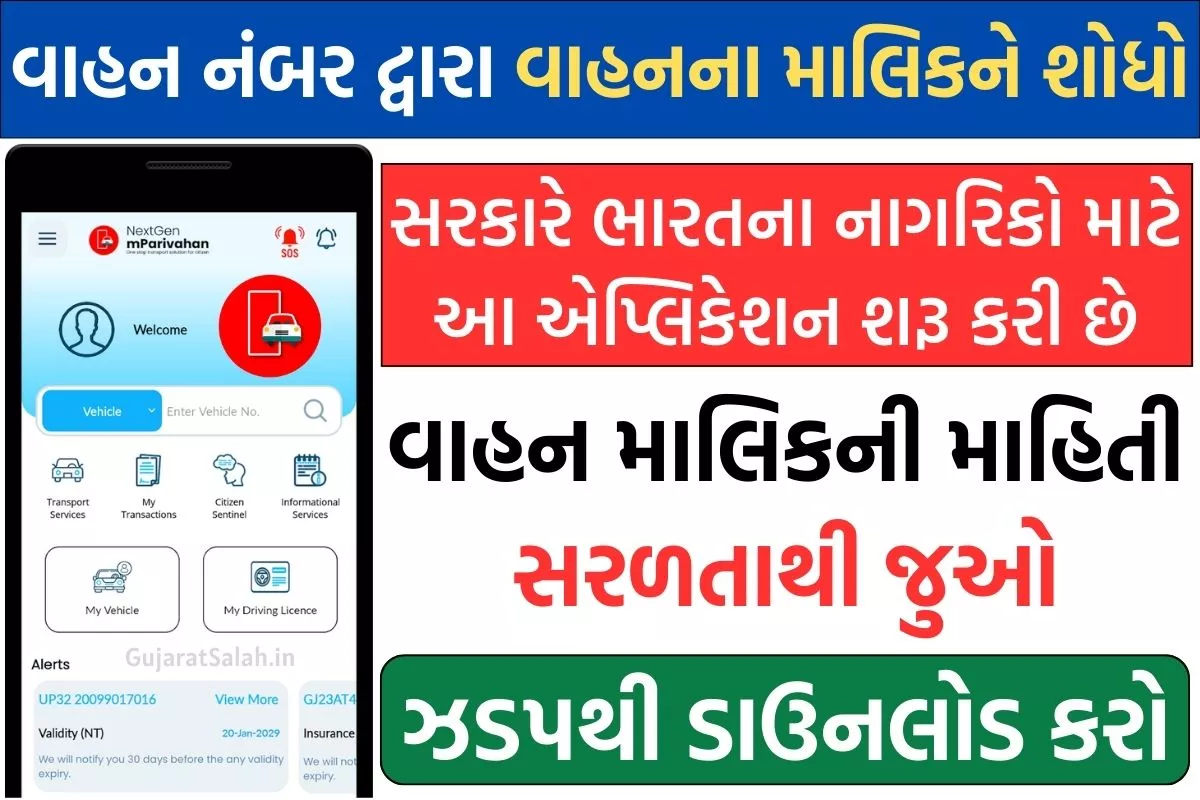
mParivahan App Download, Vehicle Information App Download, Vehicle Details App Download, mParivahan App Download:In today’s digital age, when we have reduced the need to carry cash in our pockets, we do not like to carry any kind of document while moving around. In such a situation, many times we use a driving license.(Driving Licence)Or do not carry other vehicle documents with us. Do not carry documents with you, but it is most important to carry documents with you while driving.
To drive a car in India, you need a driving license with you.(Driving Licence)And it is very important to have other documents of the vehicle. Many times the RTO employees ask for verification of driving license and other documents and at that time if we do not get the documents then we may have to pay a fine. In such a situation, the citizens do not have to face the problem and they do not have the documents. To make the license and other vehicle related documents available through digital medium, the government hasmParivahan AppHas been launched.
Many times it happens that the documents related to our vehicle get lost or torn, in such a situation the drivers may have to pay heavy fines. Therefore, to avoid all these problems, the Government of India and the Transport Department have come togethermPrivahan AppMade.Sarathi Parivahan mPrivahan AppThe facility of keeping copies of documents in digital format on mobile is provided by and this format is as valid as the original documents. When asked for documents, you can avoid fines by showing this document from your mobile phone.
mParivahan App Download
In which the facility of selecting languages has been provided through three mediums, in which the option of Hindi, English and Marathi language has been kept. YouM-Parivahan AppYou can also get other services through.M-Parivahan Mobile AppProvides facilities like emergency service, driving mock test, second hand vehicle information, pollution checking center, etc.
mParivahan App | What is Parivahan service?
parivahan.gov.in mParivahan App is developed and launched by the Ministry of Road Transport and Highways and the Government of India.National Informatics CenterThis is an app created by. All drivers in the country will be able to benefit from this. The main objective of this app is to make vehicle documents available digitally.
mParivahan AppThrough (Parivahan gov in mParivahan App), drivers are provided with the facility to keep all their important documents like Registration Certificate, Driving Licence, Insurance etc. in digital form on their mobile. Through this app, drivers can show their Driving License and other documents in RTO office and Transport office through their mobile. Apart from this, customers can also avail other services.
mParivahan Portal Benefits
- All drivers in the country can easily install their mParivahan Mobile Application.
- mParivahan App has been created by the National Informatics Center.
- The service is provided in 3 languages under this app. The driver can choose any language as per his convenience.
- With the help of M-Transport, one can keep their driver’s license in digital form.
- With mParivahan App you don’t need to always carry documents with you.
- If you want to buy a second-hand vehicle, you can check information like vehicle registration and vehicle age, etc. using the mParivahan app.
- Through the mParivahan mobile application, you can get the facility of mock tests along with information about driving license, challan and other offices of RTO.
- If for any reason a vehicle is involved in an accident, you can issue an alert through the mParivahan app.
- If for some reason your vehicle breaks down on the road, you can also provide information about towing the vehicle through this app.
- You can also share your virtual ID through this mParivahan app.
- Through this app, you can get challan through online means and also pay challan through the app.
mParivahan App Download: mParivahan App Download
- To download the mParivahan app (mParivahan Online), you first have to type mParivahan app on Google Play Store.
- After this you will have to install the mParivahan Mobile Application.
- After the app is installed, you have to click on the Open button to use it.
| mParivahan App Download | Click here |
How to use mParivahan app?
After downloading the mParivahan App, you have to open it, now you will get the option of Create Account, after that you have to create an mParivahan Account by clicking on Create Account.
- Now account (Link) To create you will have to fill some details and whatever details you fill here should be as per RC or DL.
- After this you will have to verify your mobile number with OTP.
- Now your mParivahan App registration will be completed.
- Now on the same page you will find two options, one is My Virtual RC and the other is My Virtual DL, so you have to add both the details one by one.
- First of all you have to click on My Virtual RC, after that you have to fill some information related to your vehicle, like vehicle number, last 5 digits of chassis number, last 5 digits of engine number etc. and all these details will be given to you.
- After filling the details, you have to click on the Add My Vehicle option, after that an OTP will come on your mobile number and then you have to verify by filling the OTP.
- Now your vehicle’s RC will be saved in virtual form on this app.
- Now you will see Add RC at the bottom. You can also view that RC by clicking on View Virtual RC Option here. You also get a QR Code on this Virtual RC, which you can scan and check.
- In this Virtual RC, you will be able to see all the information related to your vehicle. And you will also get other documents like insurance details, PUCC details, DL details and many other information.
- Now you have to come back to the home page to add your DL virtually.
- Now you have to click on the option of My Virtual DL. And then you have to fill in the information like your driving license number and date of birth and click on submit.
- Now your driving license is also virtually saved on this app, you can use it anytime and anywhere.
- This way you can use your vehicle’s RC and DL by connecting them virtually. Now you know how to use mParivahan App (Parivahan Mobile Application).
Important Links
| mParivahan App Download | Click here |
| Parivahan official website | Click here |
| Home page | Click here |